


iWebTV Player
3.43.00 Reviews
App Specs
- Version
- 1.5.5
- Updated On
- License
- Free
- Downloads
- 50,000+
- Developer
- Swishly
- Categories
- Video Players & Editors
- Platform
- Android
Screenshots
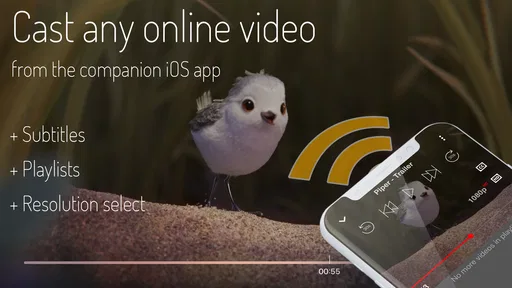
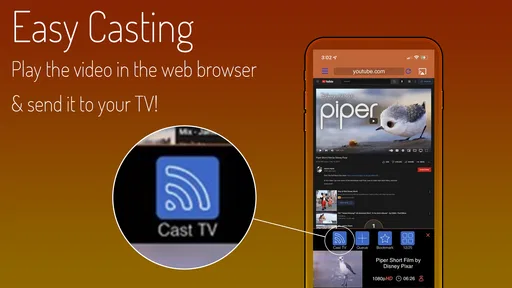
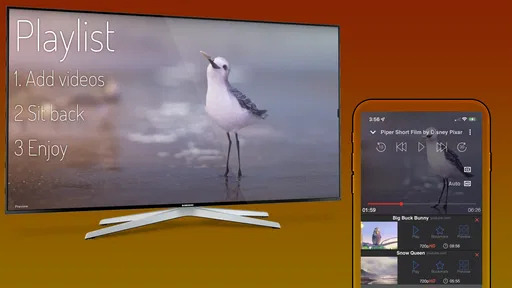
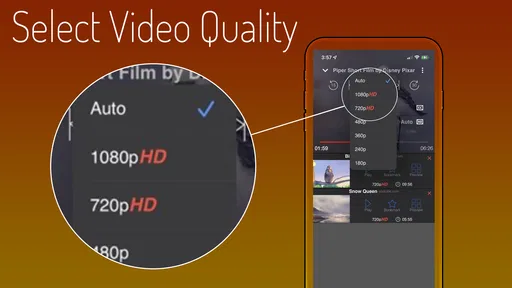
 Analysis by AppCompare
I spent time with iWebTV Player as a companion for watching web videos on a mobile device, and my first impression was that its appeal depends less on how many extras it offers and more on whether its basic viewing flow fits your habits. It is a free video player from Swishly, aimed at people who want to play web-based video content through a companion mobile app rather than rely only on the usual browser experience.
That focus makes the app easy to understand. It is not trying to be a complete streaming subscription service, a video editor, or a social network. I found it more useful as a bridge between web video and a phone or tablet screen. If you regularly move between websites and mobile viewing, that narrow purpose can feel convenient. If you expect a large built-in catalog, offline downloads, or extensive playback controls, you may find the experience too limited.
How the app feels to navigate and read
The most important accessibility question here is whether the basic journey is easy to follow: open the app, identify what it is meant to do, connect it with the relevant web-video workflow, and start watching. In my experience, iWebTV Player is easiest to approach when you already understand the idea of a companion player. The store short description, “iWebTV Player,” is brief, while the fuller purpose is playing web videos from a companion mobile app. A first-time user may therefore need a moment to understand the relationship between the mobile player and the web content.
For someone comfortable with smartphones, that learning curve is small. I could think of the app as a focused viewing tool instead of another platform that wants me to browse endlessly. That reduced scope is helpful for people who prefer a direct task and do not want recommendations, social feeds, or a crowded home screen competing for attention.
Readability also depends on the device and on the web content being played. The player can be straightforward when the video is already selected, but the surrounding website may use its own text size, contrast, layout, and controls. This is an important distinction: iWebTV Player can be part of the viewing route, but it cannot automatically make every web page or every video interface comfortable for every reader.
I would recommend checking the phone’s system text and display settings before judging the app. Larger text can make menus and labels easier to read, although enlarged system text does not guarantee that every in-app element will scale perfectly. A user who relies on strong contrast should also evaluate the player in the exact lighting and display configuration they normally use, because dark scenes, small controls, and bright reflections can matter more than the app’s simple layout.
The version installed during my review was 1.5.5, and the app supports devices running Android 6.0 or later. That makes it relevant to people using older Android hardware, but support for an older operating system should not be confused with a guarantee that every device will provide the same smoothness or display quality. Older phones may be more affected by demanding web video, background activity, or limited storage and memory.
Worth Reading Before You Choose

EA SPORTS FC Mobile 26 Is a Bigger Football Game, but It Takes Time

Flipboard Shows What News Apps Must Do Beyond the Feed

Switching to Android Auto Means Rethinking Your Driving Routine

Google Calendar Makes a Crowded Week Easier to Manage

Ludo King Makes the Most of the Minutes Between Plans

Baby Panda World Brings Quick Play to Modern Phones, but Its Game Library Feels Busy
A clearer workflow for everyday viewing
One practical habit is to prepare the video before handing the phone to someone who finds navigation tiring. Open the relevant page, make sure the intended video is visible, and keep the device in the orientation that feels most comfortable. This turns the app into a simple “press play and watch” tool instead of asking the viewer to manage several steps at once.
That approach can help older family members, people with attention difficulties, or anyone who becomes frustrated by busy interfaces. It also works well in shared situations. For example, I can imagine setting up a web video for a relative who wants to watch a cooking demonstration but does not enjoy searching through multiple apps. The useful part is not a hidden feature; it is reducing the number of decisions the viewer has to make after the content is ready.
There is a trade-off, though. A simplified handoff is only as reliable as the web page and the connection behind it. If the page changes, the video stops working, or the content presents an unfamiliar control, the person watching may still need help. I would not describe this as a fully independent viewing solution for everyone.
Motor, sensory, and situational considerations
For motor accessibility, a focused video player can be easier than a full streaming app because the viewer usually has fewer things to tap. Watching a single video does not require constant scrolling through a catalog or repeated interaction with a recommendation feed. That can be useful for people with limited dexterity, hand tremors, or fatigue, especially when the video has already been selected.
At the same time, video controls are often temporary and may disappear after a short pause. That can create friction for anyone who needs more time to locate a button or accurately tap a small control. I found that the most comfortable workflow is to use deliberate taps and avoid trying to operate the player while the phone is moving. A stand or stable surface can make a surprisingly large difference for viewers who cannot hold a device steadily for long periods.
For users with vision differences, the practical experience varies with the video itself. A player can show the picture, but it cannot ensure that a creator has used readable captions, clear on-screen text, or strong contrast. If a tutorial depends on tiny labels inside the video, enlarging the player may help only up to a point. I would choose content with spoken explanations and well-designed captions when visual detail is difficult to follow.
Hearing access deserves the same caution. Web videos differ widely in caption quality, language support, and synchronization. If captions are essential, I would test the exact video before settling in for a long session. The app’s role is to play the content; the accessibility of that content remains largely in the hands of the website or video creator.
People sensitive to motion may also want to be selective. Web video can include rapid cuts, camera movement, flashing effects, or animated overlays. iWebTV Player does not turn those production choices into a calmer viewing experience. Lowering the device brightness, increasing viewing distance, or choosing a less visually intense video may be more useful than changing the player itself.
When the surrounding environment changes the experience
Situational access is where I think this app makes the most sense. A phone is easier to use in places where a larger screen is inconvenient: during a short break, while waiting, or when a family member wants to watch something without taking over the television. The free price also removes a subscription decision, which makes it easier to try for a specific need rather than commit to another paid service.
Still, web video is not equally dependable everywhere. A weak connection can interrupt playback, and a public environment may make audio impractical. In those situations, headphones can help, but they introduce their own considerations for users who need to remain aware of surrounding sounds or who find in-ear devices uncomfortable. I would treat the app as a flexible online viewing option, not as a replacement for downloaded media when reliable offline access is important.
Battery life is another everyday consideration. Streaming video for a long period can be demanding on a phone, particularly on older hardware. If I were using it during travel or away from a charger, I would begin with a well-charged device and avoid assuming that a short viewing session will remain short. This is not unique to iWebTV Player, but its web-based role makes it especially important to plan around the connection and the device rather than the app alone.
The app may also suit households with different comfort levels around technology. One person can locate the video and leave the phone ready, while another person simply watches. That shared workflow is more inclusive than expecting every viewer to search, sign in, navigate unfamiliar pages, and manage playback independently. However, I would be careful about using it for anything time-sensitive, such as a live lesson or an important presentation, until I had tested the exact web source on the device.
Where the inclusive experience still has limits
The biggest barrier is that iWebTV Player sits between the user and web content, so the experience inherits problems from both sides. A confusing website can remain confusing. A video without captions remains difficult for someone who cannot hear it clearly. A page with tiny controls or poor contrast may still demand precise visual and motor effort before playback even begins.
That means the app is a better fit for prepared viewing than for open-ended browsing. I would recommend it to someone who already has a trusted set of web videos or who receives links from another person. I would be less enthusiastic for a user who needs a carefully curated, highly consistent interface with predictable captions, strong accessibility options, and clear support for assistive technology across every screen.
There is also a difference between “works on an older operating system” and “feels comfortable on an older device.” A phone that meets the minimum Android requirement may still have a small display, slower performance, or less responsive touch input. For a user with motor or visual needs, hardware quality can be just as important as app compatibility. A larger tablet or a newer phone may provide a better experience even when the app itself installs successfully on older equipment.
Another trade-off is control. A specialized streaming service often offers a consistent catalog, familiar playback behavior, and content-level settings that are easier to anticipate. A browser-based route offers broader reach but more variation. I prefer iWebTV Player when the source is known and the goal is simply to watch it. I would choose a conventional streaming app when I want dependable discovery, a stable library, or a more uniform interface for someone who needs predictability.
The app’s public reception is mixed, with an average rating of 3.4 from around thirty ratings and three written reviews. I do not treat that small response as a final verdict, but it does reinforce my impression that the experience may depend heavily on the user’s device, web source, and expectations. Its install count is over fifty thousand, so it is not an entirely unknown utility, yet it still feels like a focused tool rather than a mature all-purpose video ecosystem.
Who should use it and my inclusive verdict
I would recommend iWebTV Player to a person who wants a free way to play selected web videos through a companion mobile experience, especially when the content is already known and the viewer values a direct route over a large catalog. It can be useful for family viewing, quick demonstrations, and situations where a phone is more practical than a television or desktop.
I would also consider it for someone who prefers to prepare content in advance for another viewer. A caregiver, teacher, or family member can reduce the navigation burden by opening the intended video first. That small change can make the experience more accessible for people who struggle with search, dense menus, or repeated tapping. The app is at its best when the human workflow around it is thoughtfully arranged.
I would skip it if offline playback is central to your routine, if you need guaranteed caption quality, or if you want one consistent interface for every video. I would also look elsewhere when a viewer depends on advanced accessibility controls that need to be available and predictable inside the player itself. In those cases, a platform with stronger content-level settings or a dedicated media player may be the safer choice.
For me, the strongest point is its narrowness. iWebTV Player does not need to overwhelm the viewer with features to be useful; it can simply provide a route from web video to mobile watching. The weakness is the same narrowness: it cannot solve accessibility issues created by the source website, the video creator, the network, or the phone’s hardware.
Swishly’s app is therefore worth trying when your needs are modest and specific. Before relying on it, I would test one or two videos that matter to you, confirm that the controls are comfortable, check captions or audio options on the actual content, and try the workflow on the device you plan to use. That short test will tell you more than the app’s general description.
My final view is cautiously positive. As a free app in the video-player category, it offers a practical companion role and can support more inclusive viewing when someone prepares the content and environment carefully. Its real value is not universal accessibility, but a simpler path to a known web video. For that focused use, I can recommend it; for a complete, highly configurable, and consistently accessible video experience, I would choose a more specialized alternative.
Pros
- Streams phone content to TVs with compatible casting devices.
- Supports high-quality video playback for a sharper viewing experience.
- Simple interface makes browsing and casting content easy.
- Useful for watching online videos on a larger screen.
- Works well as a secondary screen for shared viewing.
Cons
- Compatibility varies between TV models and casting devices.
- Some websites may block casting or fail to play correctly.
- Performance depends heavily on Wi-Fi speed and stability.
- Certain features may require in-app purchases or subscriptions.
- The app may display ads during browsing or playback.
FAQs for iWebTV Player
What is iWebTV Player and what can I use it for?
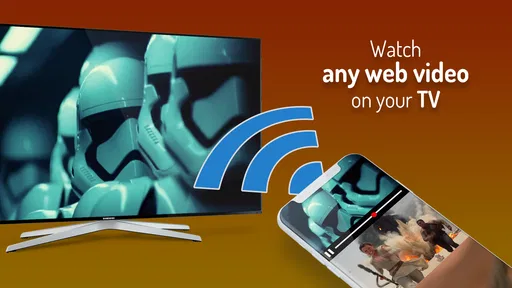
iWebTV Player is an app designed to stream online video content from your mobile device to a compatible television or streaming platform. It is commonly used with services such as Chromecast, Roku, Fire TV, and smart TVs, depending on device compatibility. In practice, it works best for sending web-based videos to a larger screen while keeping playback controls on your phone or tablet.
Which devices and platforms are compatible with iWebTV Player?
Compatibility can vary depending on the version of iWebTV Player and the device you own. The app is generally intended for Android and iOS smartphones or tablets, with support for popular receivers such as Chromecast, Roku, Fire TV, and certain smart televisions. Before downloading, check the current store listing and confirm that your phone, television, and streaming device are connected to the same Wi-Fi network.
Does iWebTV Player include movies, shows, or other streaming content?
iWebTV Player is primarily a browser and casting tool rather than a subscription service with its own catalog of movies and television shows. The content you watch usually comes from websites accessed through the app, so availability, quality, advertisements, and legality depend on the individual source. Users should only stream content from legitimate websites and respect copyright restrictions in their country.
Is iWebTV Player free to download, and are there in-app purchases?
The app may be available to download for free, but the exact pricing model can differ between Android and iOS versions. Free access may include advertising, while optional premium features can remove ads or unlock additional playback and casting functions. I recommend reviewing the current Google Play or App Store listing before installing, since prices, subscriptions, and included features may change over time.
Why might iWebTV Player fail to connect or play a video correctly?
Connection problems are usually related to network settings, unsupported websites, receiver compatibility, or restrictions built into the video source. Make sure your phone and television or streaming device use the same Wi-Fi network, restart the app and receiver, and install the latest available updates. Some videos cannot be cast because of DRM, browser limitations, pop-ups, or website-specific playback rules.


